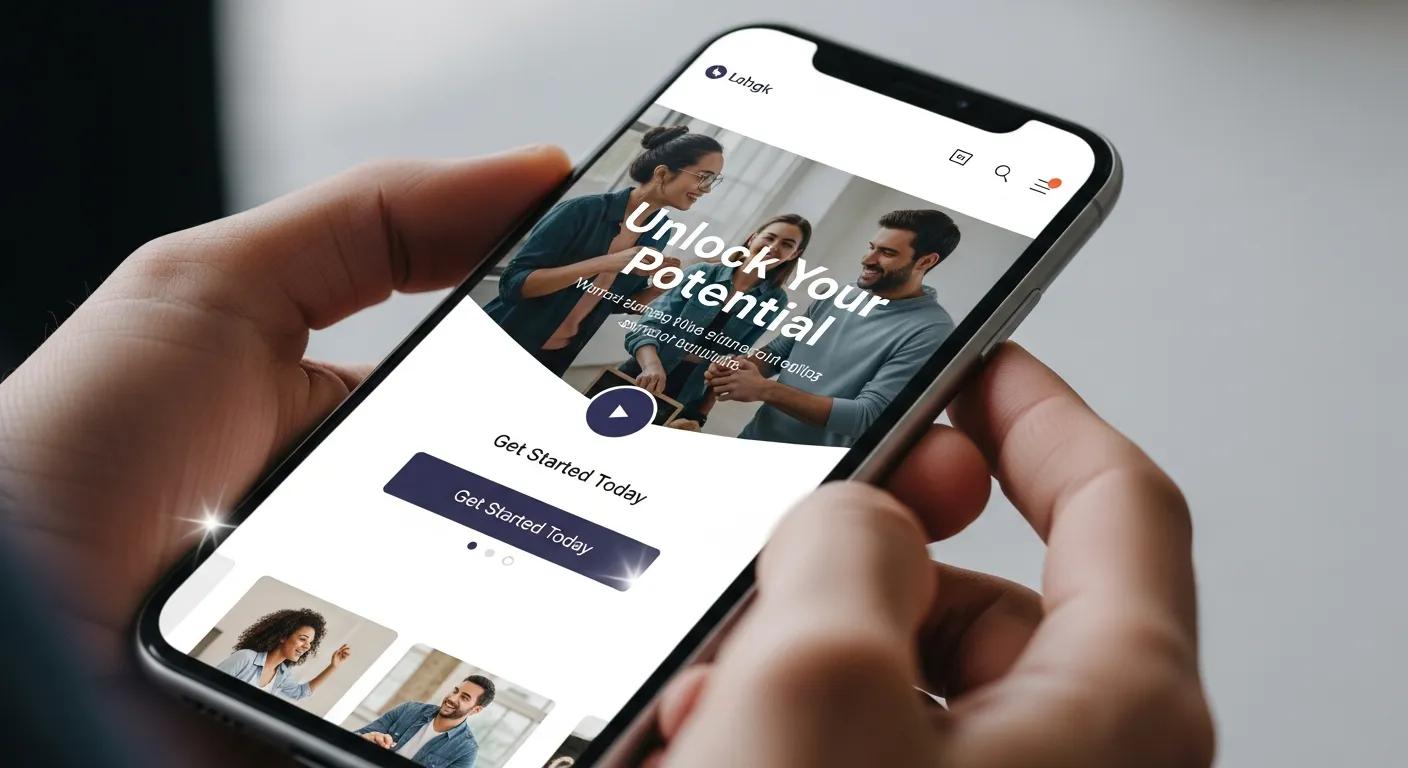
How UX Shapes Landing Page Results: Practical UX Fixes to Lift Conversion Rates
Landing page user experience (UX) is the mix of design, copy, and performance cues that move a visitor toward contact. For home service sites, small UX improvements reliably produce measurable lifts in leads. This guide breaks down how UX influences visitor behavior, why mobile-first UX matters for local businesses, and which page elements most affect conversion rate, bounce rate, and engagement. Too often contractors lose potential leads to slow pages, confusing layouts, or missing trust signals. Below you’ll find evidence-backed impact statements, a practical checklist of UX elements, trade-specific priorities for plumbers/HVAC/landscapers, A/B testing templates, and concrete advice on social proof and trust signals that speed decisions. Read on for clear, actionable steps that link visual design, page speed, CTAs, and accessibility to better lead capture.
What Is the Impact of User Experience on Landing Page Conversion Rates?
UX directly affects conversion by shaping first impressions, credibility, and how easily a visitor completes the desired action. Cleaner UX reduces friction and doubt, which translates into higher conversion rates. Industry benchmarks show that improving load times and creating a clear visual hierarchy can drive double-digit conversion uplifts and drop bounce rates significantly — and mobile-responsive pages consistently outperform non-responsive ones for local searches. To measure UX impact, track conversion rate, bounce rate, session duration, and task-completion metrics; those signals reveal which UX changes deliver measurable returns. With those results in hand, it’s easier to prioritize clarity, trust signals, and streamlined forms that shorten the path to contact.
How Does Good UX Increase Conversion Rates on Landing Pages?
Good UX boosts conversions by lowering cognitive load, removing unnecessary steps, and making the value obvious and relevant to the visitor. For example, replacing a long booking form with two essential fields often increases completions for local service pages. Copy that promises a clear outcome — like “fast emergency plumbing estimates” — reduces hesitation and speeds action, while layouts that focus on a single CTA keep attention where it matters. Those behavioral improvements compound: iterative UX tweaks produce steady gains in conversion performance over time.
Why Is Mobile Responsiveness Critical for Landing Page Success?
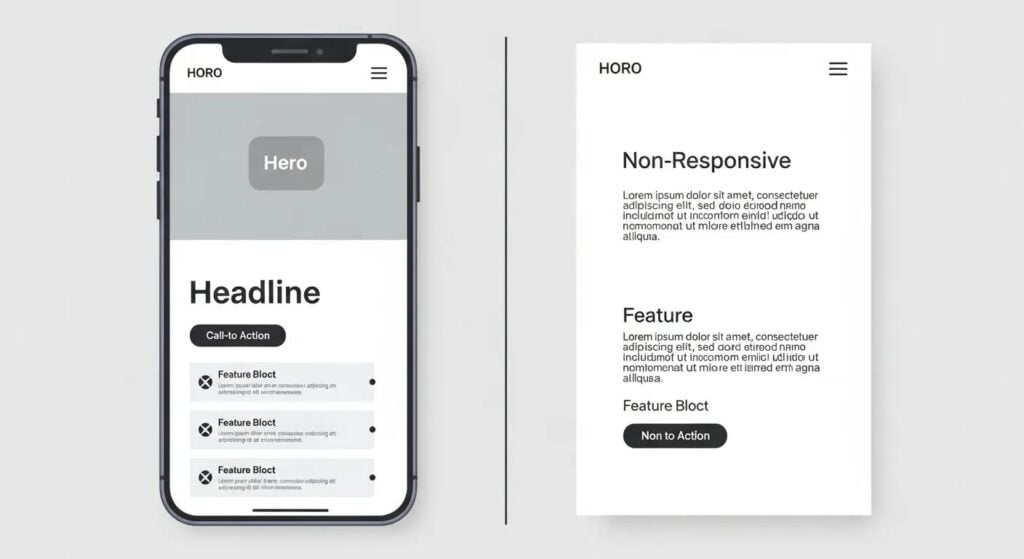
Mobile responsiveness is essential because most local home-service searches start on phones, and mobile users decide fast. A mobile-first layout puts the primary action — a call button, request-a-quote, or one-tap booking — immediately in view, with appropriately sized tap targets and readable type. Performance matters: better LCP and smaller payloads correlate with higher mobile conversions, so compress images, defer noncritical scripts, and keep payloads light. A strong mobile UX blends layout, speed, and local intent to convert users who are often ready to hire.
What Are the Essential Elements of High-Converting Landing Pages?
A high-converting landing page combines speed, clarity, trust, and a direct path to conversion. Optimizing these elements together produces the best ROI.
Use the checklist below to confirm each landing page includes core conversion drivers before adding advanced tactics.
This list summarizes essential elements:
- Fast Page Load: Quick-loading pages reduce abandonment and signal professionalism.
- Clear Headline & Value Proposition: Visitors should grasp the offer within seconds.
- Obvious Primary CTA: One visible, action-oriented CTA drives more completions.
- Minimal, Optimized Forms: Short forms or progressive disclosure lower friction and raise conversions.
- Social Proof & Trust Signals: Local testimonials, badges, and review aggregates cut perceived risk.
These elements work together: speed and hierarchy guide users to the CTA, while strong copy and trust elements convert them. Below is a quick comparison of common landing page components, their purpose, and KPIs to help prioritize work.
| Element | Purpose | Best Practice / Measurable KPI |
|---|---|---|
| Headline & Value Prop | Communicate immediate benefit | CTR to CTA from hero area |
| Primary CTA | Drive the conversion action | Click-through rate and conversion rate |
| Lead Capture Form | Collect qualified lead info | Form completion rate and abandonment |
| Visuals & Hierarchy | Guide attention and build trust | Scroll depth and time-on-section |
| Social Proof | Reduce perceived risk | Conversion lift after adding reviews/badges |
Use those KPIs to prioritize fixes such as tightening the hero area and simplifying forms to drive measurable gains.
How Do Page Load Speed and Visual Hierarchy Affect User Engagement?
Page speed shapes first impressions and engagement: slow pages raise abandonment and lower trust. Technical steps like image compression, server-side caching, and CDN delivery improve Time to First Byte and Largest Contentful Paint. Visual hierarchy—using contrast, size, and placement in F- or Z-patterns—directs attention so the headline, supporting copy, and CTA live in prime zones. Accessibility improvements (legible type, sufficient contrast, clear focus states) reduce friction for more users and improve engagement. Speed and layout optimizations work together: fast pages keep people long enough for a clear hierarchy to guide them to convert.
What Role Do Clear Calls to Action and Compelling Copy Play?
Clear CTAs and focused copy convert interest into action by spelling out the next step and removing uncertainty about what happens after the click. Pair a contrasting CTA with concise value language — for example, “Get a Free Estimate” instead of “Submit” — and add microcopy under the CTA to clarify timing or guarantees. Local, problem-focused copy (e.g., rapid response for emergency repairs) matches intent and raises conversion. Test CTA wording, color, and surrounding copy to find the combinations that produce the best CTR and completion rates.
How Can Home Service Businesses Optimize Landing Page User Experience?
Home service businesses convert more leads when UX is tuned to local intent, contact flows are streamlined, and trust signals counter the usual objections for trades like plumbing, HVAC, and landscaping. Focus on three priorities: mobile-first layout and CTA prominence, page speed, and placing local trust markers (licenses, nearby testimonials) near CTAs. These shifts attract higher-intent visitors and speed lead conversion for local searches.
A simple 3-step checklist for home service landing pages:
- Mobile First: Put phone and booking CTAs above the fold and make tap targets large.
- Speed & Performance: Cut page weight and improve Core Web Vitals for faster loads.
- Local Trust Signals: Show local reviews, licenses, and service-area credibility near CTAs.
Below is a quick mapping of service types to UX focus areas and simple implementation tips small businesses can apply.
| Service Type | UX Priority | Implementation Tip |
|---|---|---|
| Plumber | Fast contact and trust | Place click-to-call top-left and show recent local project photos |
| HVAC | Seasonal relevance & scheduling | Add heating/cooling seasonal messaging and an easy time-slot selector |
| Landscaper | Visual proof & booking | Use before/after galleries and a quick estimate form with image upload |
This mapping helps teams choose the highest-impact UX work and points to design patterns—hero layouts and trust strips—that reliably improve conversions.
Lead Nurture Close Web Marketing can implement these recommendations through our Home Service Website System and Web Design And Development services, taking the work from checklist to launch so you don’t have to stretch internal resources. A short advisory engagement can prioritize quick wins and align UX fixes with local SEO and Google Business Profile signals to bring more qualified traffic.
What UX Design Best Practices Are Tailored for Home Service Landing Pages?
Effective home-service design prioritizes contactability, clear service scope, and visual proof of past work so visitors trust you quickly. Typical templates include a tight hero with a benefit-led headline, a clear phone CTA, and a short estimate form. Use authentic local photos, short bullet lists of services, and trust strips with brief testimonials above the fold. Simplify navigation on single-goal pages and remove secondary links that distract from booking or requesting a quote. These choices reduce friction and raise the chance a visitor makes contact.
How Does Integrating Local SEO Enhance Landing Page Effectiveness?
Local SEO increases landing page effectiveness by attracting more relevant search traffic and signaling local credibility to both Google and users. Add local keywords to headlines and meta elements, apply LocalBusiness structured data to show service area details, and keep citations and Google Business Profile info consistent. Displaying service-area specifics, neighborhood testimonials, and locally relevant content reduces intent mismatches and cuts wasted clicks. Local SEO and UX changes together ensure higher-intent visitors arrive at pages designed to convert.
How Does A/B Testing Improve Landing Page UX and Conversion Rates?
A/B testing turns improvements into a repeatable process: compare controlled variants, measure impacts on chosen metrics, and iterate on statistically validated wins. Start with a clear hypothesis, pick a primary metric (for example, form completion), calculate the sample size you need, and prioritize tests that are quick to implement and likely to move the needle. Track secondary metrics like CTA click-through rate and session duration to understand why a change worked, then fold those learnings into future tests to compound gains.
| Test Element | Hypothesis | Success Metric |
|---|---|---|
| Headline copy | More specific benefit increases interest | CTA click-through rate |
| CTA text & color | Action-oriented label will increase conversions | CTA conversion rate |
| Form length | Shorter form reduces abandonment | Form completion rate |
Use this template to define tests and measure outcomes; treat A/B testing as an operational habit rather than a one-off activity.
Professional CRO and design teams can run tests at scale—handling sample-size calculations, significance tracking, and rollouts of winning variations. Lead Nurture Close Web Marketing offers Web Design And Development and iterative testing services so home service clients can implement experiments without diverting internal resources. Partnering with experienced teams speeds up validated UX gains and shortens time to ROI.
What UX Elements Should Be Tested for Optimal Results?
Start tests on headline, CTA wording and placement, form length and field order, hero image choice, and trust-signal placement—these elements directly affect attention, comprehension, and conversion. Examples: benefits-focused versus service-focused headlines, or a two-field form versus a five-field form with progressive profiling. Record primary and secondary metrics for each test, run them long enough to reach significance, and prioritize experiments with clear, measurable hypotheses. Systematic testing of these high-impact elements reliably improves conversion over time.
How Can Continuous User Research Drive Landing Page Improvements?
Qualitative research complements A/B testing by uncovering friction points and motivations analytics can miss. Use short on-site surveys, session recordings, and periodic usability tests with representative customers to generate realistic hypotheses—e.g., recordings might show users scrolling past the CTA while searching for pricing. Then test design changes that address the behavior. Follow a simple loop: research to identify friction, hypothesize a fix, test it, analyze results, and iterate. Combining qualitative and quantitative signals builds a resilient CRO process that continuously lifts conversion rates.
How Do Social Proof and Trust Signals Influence Landing Page Success?

Social proof and trust signals shorten the decision window by lowering perceived risk and showing that others got good results. Formats like star ratings, local testimonials, short case-study snippets, and industry badges address authenticity, competence, and reliability. Place these signals near the CTA and in the hero to influence the moment of decision, and measure conversion lift after adding trust elements to confirm their impact. Testing which formats resonate locally helps you place and present trust signals for maximum effect.
What Types of Social Proof Build Credibility on Landing Pages?
For contractor pages, the most effective social proof includes concise local testimonials with specific outcomes, aggregated review scores, brief case-study callouts with metrics, and credentials like licenses or association badges. Pair a short neighborhood testimonial with an aggregated star rating near the CTA for quick credibility. Before-and-after photos and short video testimonials add believability and can move the needle when used selectively. Multiple, complementary trust signals placed along the conversion path increase perceived reliability.
How Does Trust Impact User Decision-Making and Conversion?
Trust lowers the perceived cost and risk of contacting a provider. When trust signals answer common objections—proof of competence, guarantees, or verified reviews—visitors act with less scrutiny and more confidence. Cognitive biases like social proof and authority mean endorsements or visible credentials speed the decision and increase form completions. Test variations that surface guarantees or clear repair/refund policies to quantify the effect of reduced perceived risk, and tailor trust messaging to local expectations for maximum relevance. Treat trust as a conversion multiplier and allocate UX space accordingly.
What Are Common UX Pitfalls That Reduce Landing Page Effectiveness?
Frequent issues include slow pages, cluttered layouts with competing CTAs, and long or confusing forms—each raises friction and lowers conversions. Keep a single primary CTA to avoid decision paralysis, and use staged flows for secondary goals so attention stays focused. Performance problems and poor mobile design are measurable and often quick to fix, making them high-priority wins for teams chasing conversion lifts. Start with diagnostics and move into prioritized fixes that deliver the fastest outcomes.
How Do Slow Load Times and Poor Mobile Design Increase Bounce Rates?
Slow pages drive abandonment because users expect near-instant access. Metrics like Largest Contentful Paint and Time to Interactive correlate strongly with bounce rate, so optimize images, enable browser caching, and limit third-party scripts. Poor mobile design—tiny tap targets, hidden CTAs, and dense content—frustrates users and increases drop-off, especially for local searches where speed matters. A basic diagnostics checklist that measures LCP, First Input Delay, and viewport issues points to the biggest sources of friction. Fixing those typically lowers bounce rate and raises conversions.
Why Should Landing Pages Avoid Multiple Conversion Goals?
Landing pages should avoid multiple conversion goals because each extra CTA divides attention and weakens the primary pathway, reducing overall success. A focused page that prioritizes one action—like requesting a quote—usually converts better than a page juggling downloads, newsletter sign-ups, and calls. When multiple outcomes are necessary, stage them: capture minimal contact details first, then request additional actions in follow-up. This preserves momentum and increases the share of visitors who complete the primary action.
For a tailored review of your landing page UX and a prioritized roadmap to higher conversions, Lead Nurture Close Web Marketing can assess core metrics and recommend focused design and performance fixes through our Home Service Website System or Web Design And Development services. A short diagnostic can reveal the highest-leverage changes—from CTA simplification to mobile performance tuning—and provide an implementation plan to capture more local leads.
- Audit first: Find the highest-friction elements and prioritize quick wins.
- Test changes: Use A/B testing to validate assumptions and measure impact.
- Iterate continuously: Blend qualitative research and analytics to refine UX over time.
Following these steps builds a sustainable process for lifting landing page success and ties UX work directly to measurable lead-generation goals.
Frequently Asked Questions
What are the key differences between UX design for mobile and desktop landing pages?
Mobile UX prioritizes touch interactions, compact layouts, and immediate access to the most important action—usually a call or quick estimate. Designers focus on speed, tappable targets, and simplified content. Desktop allows for more visual detail and longer-form content, but both platforms must keep the path to conversion clear and straightforward, adapted to user behavior on each device.
How can businesses measure the effectiveness of their landing page UX improvements?
Track primary KPIs like conversion rate, bounce rate, and form completion, plus engagement signals such as session duration and scroll depth. Use Google Analytics and heatmaps for behavior data, and run A/B tests to compare variants. Supplement analytics with short surveys or usability tests to capture qualitative feedback that explains the numbers.
What role does accessibility play in landing page UX design?
Accessibility ensures more people can use your page effectively. Implement alt text for images, adequate color contrast, keyboard navigation, and clear focus states. Accessibility improvements not only meet legal and ethical standards but also broaden your audience and improve usability for everyone, which can increase conversions.
How often should businesses update their landing pages for optimal UX?
Update pages regularly—at least every few months or whenever services, offers, or seasonal needs change. Monitor behavior and feedback for signals that an update is needed sooner. Continuous A/B testing and occasional content refreshes keep pages aligned with user expectations and market trends.
What are some common mistakes to avoid in landing page design?
Avoid cluttered layouts, competing CTAs, slow load times, and jargon-heavy copy. These issues confuse visitors and increase bounce. Keep a single conversion goal, use concise, benefit-driven copy, and prioritize speed. Regular testing and iteration help catch and fix these mistakes early.
How can social media integration enhance landing page performance?
Social features can extend reach and reinforce social proof. Social sharing buttons help content spread, while embedded feeds or testimonial snippets can boost credibility. Use social proof selectively—don’t let feeds distract from the primary conversion goal—and ensure any social elements support the overall trust story.
What is the importance of a clear value proposition on landing pages?
A clear value proposition quickly tells visitors what they get and why it matters. It reduces confusion, aligns expectations, and nudges users toward the CTA. Place the proposition prominently, use concise language, and make it relevant to local needs—this clarity directly improves conversion rates.
Conclusion
Improving landing page UX is one of the most reliable ways to increase conversions and capture qualified leads. Focus on mobile responsiveness, clear CTAs, fast performance, and trust signals to make your pages work harder for local searchers. If you want specific, prioritized recommendations, our team at Lead Nurture Close can run a quick diagnostic and deliver a roadmap that targets the highest-impact fixes. Reach out to turn UX improvements into measurable lead growth.