
Custom Web Design vs. Website Templates: How to Choose the Right Option for Your Project
The choice between a custom-built site and a template shapes how well your website generates leads, ranks locally, and scales as your business grows. This guide walks through both approaches, compares technical and business trade-offs, and gives clear decision criteria for home service companies that rely on steady lead flow and measurable ROI. You’ll get a practical explanation of what custom web design looks like, where templates fall short, the real cost drivers and total cost of ownership, and when a custom build is the smarter investment. We also cover SEO, security, performance, and next steps so you can match your budget and growth plan to the right solution. Through tactical lists, comparison tables, and implementation checklists, this piece helps owners and marketing managers weigh speed-to-market against a bespoke platform optimized for conversions and automation.
What Is Custom Web Design and How Does It Benefit Your Project?
Custom web design is a deliberate development process that builds a unique site structure, visual design, and integrations tailored to a business’s goals and workflows. It begins with requirements, moves into a bespoke UI/UX, and finishes with code and CMS configuration aligned to conversion and technical needs. The main advantage is control: a custom site lets you own brand presentation, tune performance, and integrate systems in ways that reliably turn visitors into measurable leads. For home service providers, that control improves trust signals, booking flows, and local SEO targeting. The section below explains how that flexibility and scalability are implemented and why they matter for growth.
Custom web design produces several tangible benefits for lead generation and brand differentiation:
- Distinct Brand Experience: A tailored interface reflects your service positioning and builds trust with local customers.
- Integration-Ready Architecture: Custom sites connect cleanly to CRMs, booking tools, and automation for smoother lead routing.
- Performance and Security Tuning: Developers can optimize hosting, caching, and code for faster load times and stronger protection.
Together, these improvements boost conversion rates, search visibility, and the infrastructure needed for future marketing automation.
How Does Custom Web Design Offer Flexibility and Scalability?
Custom design buys flexibility through modular architecture, choice of CMS, and a clear separation between presentation and data. Teams often use component-based systems or headless CMS options so marketing can add pages and templates without constant developer intervention, while APIs enable reliable connections to scheduling, CRM, and payment systems. For example, a plumbing company that needs technician profiles, localized landing pages, and dynamic booking availability benefits from reusable components that can be duplicated and parameterized across locations. Planning for scalability also means choosing hosting and deployment models that handle traffic spikes and incremental feature rollouts without a full rebuild. This modular approach speeds iterative improvements and lowers the long-term cost of adding services or new geographies.
What Are the SEO Benefits of Custom Websites?
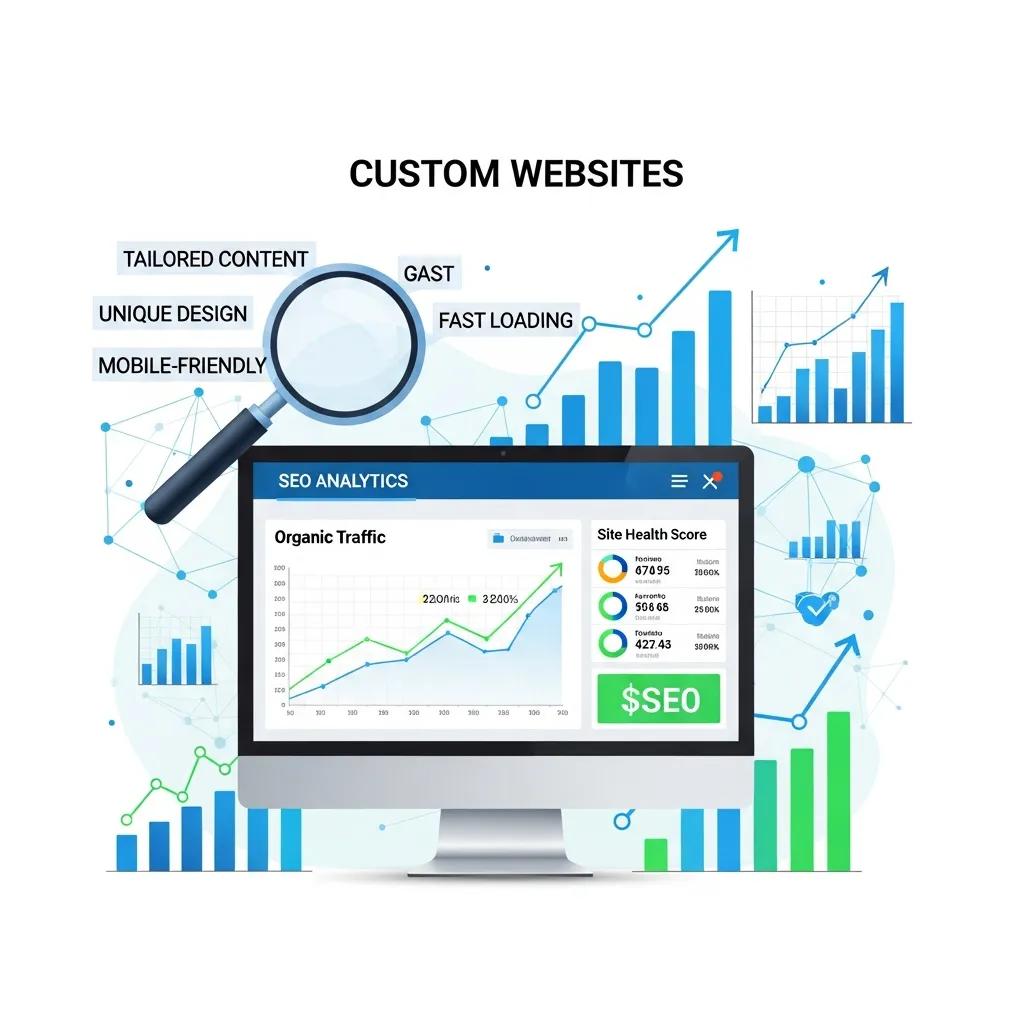
Custom sites enable technical SEO tactics that templates often make difficult: tailored URL structures, granular schema markup, and server-level optimizations for speed and crawl efficiency. With control over page templates and content architecture, you can build dedicated service-area pages, apply local business and review structured data, and prioritize critical resources so mobile pages load faster.
Better indexability and clearer semantic structure increase your chances of ranking for service-area queries and appearing in rich results. Those SEO advantages drive more qualified organic traffic and make contact/booking CTAs more prominent in search results.
What Are Website Templates and Their Common Disadvantages?

Website templates are prebuilt designs from theme marketplaces and site builders that let non-developers launch sites quickly. They provide generic page structures, styling, and plugin ecosystems so a business can assemble a site with minimal coding. While templates speed time-to-market and lower upfront costs, common drawbacks include limited deep customization, asset bloat that slows pages, and restrictions on bespoke integrations with CRMs or booking systems. For service-area businesses, those limits can reduce conversions, block local SEO tactics, and create maintenance headaches when plugins conflict or updates break functionality. The list below summarizes the main disadvantages.
Templates usually introduce three core disadvantages for home service businesses:
- Limited Customization: Theme constraints can prevent the unique UX patterns needed for booking flows or multi-location pages.
- Performance Overhead: Prebuilt CSS/JS and plugin dependencies add load time and harm mobile usability.
- Integration Friction: Templates may not support custom APIs or lead-routing logic required by professional CRMs.
Because of these trade-offs, templates can be fine for short-term or simple sites, but they often carry hidden costs when a business needs to scale or automate.
Why Do Website Templates Have Limited Customization and Performance Issues?
Templates are built around a theme structure and third-party plugins designed for broad compatibility rather than peak performance, which limits deep UI changes and creates dependency chains.
Many templates ship with generic CSS and JavaScript that load unused features, slowing render times and increasing mobile delays. Plugin ecosystems create compatibility risks—an update to one plugin can break another—adding maintenance overhead and unpredictable downtime.
Template-driven sites also tend to lack clean API hooks, making robust CRM and booking integrations harder to implement. Recognizing these technical constraints explains why adapting templates can become expensive as your business grows.
How Do Website Templates Impact SEO and User Experience?
Templates can hold back SEO when generic page structures don’t provide the fields or semantic markup needed for local business pages and service-specific content. A templated layout may omit proper schema for reviews, service areas, or technician profiles, reducing eligibility for rich snippets and local pack visibility.
On the UX side, templates typically use navigation and content patterns that don’t align with service booking flows, causing friction during appointment scheduling or quote requests. Running a short checklist against a template helps you decide whether it’s salvageable or if a custom approach is required to protect conversions.
How Do Custom Website Costs Compare to Template Solutions?
Comparing custom builds to templates requires looking at upfront development, ongoing maintenance, integration effort, and the value of improved lead conversion over time. Custom projects usually carry higher initial fees but can lower long-term marketing and migration costs thanks to an optimized architecture and solid integrations that raise lead quality and automation. Templates reduce initial spend but often need extra plugin subscriptions, manual integrations, and eventual rebuilds that increase total cost of ownership. Below are the key cost factors to consider when estimating TCO and ROI for home service websites.
Key cost factors to compare when choosing between custom and template solutions include:
- Upfront Development: Design, coding, and initial integrations versus quicker template setup.
- Integrations and Automation: API work for CRM/booking that templates may not support out of the box.
- Ongoing Maintenance: Security patches, plugin updates, and content expansion costs over time.
These drivers shape payback periods: businesses with higher lead value and automation needs often recoup a custom investment faster through better conversions and reduced manual lead handling.
Intro to cost comparison table: the table below breaks down common cost components and shows how custom and template approaches differ in impact and return.
| Cost Component | Characteristic | Custom vs Template |
|---|---|---|
| Design & Branding | Bespoke visuals and UX tailored to your positioning | Custom: High control; Template: Limited |
| Development & Integrations | API work and custom features | Custom: Higher upfront; Template: Lower initial cost, higher friction later |
| Maintenance & Updates | Security patches and content additions | Custom: Predictable support; Template: Plugin-driven variability |
This comparison shows that while templates lower immediate spend, custom sites typically deliver clearer long-term ROI through predictable maintenance and scalable integrations. The H3 sections that follow explain the cost drivers and where templates can save money.
What Factors Influence the Cost of Custom Web Design?
Several variables shape custom design costs: number of page templates, required integrations (CRM, booking, payments), custom features (quote calculators, scheduling), and vendor rates. Complex integrations and bespoke functionality add development hours, while careful scoping and modular design reduce rework and simplify future updates. Content production—copywriting, photography, and local landing pages—also affects upfront and ongoing costs. Estimating expected lead value and conversion uplift helps prioritize which features to build first and supports an ROI-driven scope, making it easier to phase work sensibly.
How Much Can You Save Using Website Templates?
Templates often save 50–70% on upfront design costs, making them useful for fast deployments, MVPs, or landing pages that need to validate a concept quickly. Those savings suit startups or short promotions where time-to-market matters more than long-term scale. That said, templates can introduce hidden costs later—conversion losses, migration expenses, and extra plugin fees can erode early savings. Templates make sense for short-term campaigns, very small businesses with simple offerings, or when budget constraints prevent custom work. Evaluate expected site lifetime and projected lead value before committing a template for long-term use.
When Should You Choose Custom Web Design Over Templates for Your Project?
Choose custom design when your business depends on strong lead generation, complex integrations, or a differentiated brand experience that affects revenue per booking. Custom is usually the right call when average job value and lifetime customer value make conversion improvements financially meaningful, when multi-location SEO is a growth strategy, or when you need precise automation and lead routing. Templates fit limited-scope projects or interim landing pages. Use the criteria below to decide which path suits your project.
Decision criteria for choosing custom design include:
- High Lead Value: If each job carries significant margin, optimize conversions with a tailored UX.
- Complex Integrations: When CRM, booking engines, or custom APIs are required, bespoke development is preferable.
- Multi-Location Growth Plans: Scaling across service areas benefits from flexible templates and automated page generation.
Recommended next step for businesses that meet these thresholds: take a consultative approach to map conversion uplift to cost before committing to a build. Our process starts with auditing your current lead flow, identifying conversion bottlenecks, and quantifying revenue per lead so we can prioritize features with the fastest payback. From there we outline a phased roadmap that pairs modular custom development with marketing automation and CRM integration to support measurable growth. If you want help planning scope and ROI, schedule a free consultation with our team to get a data-driven recommendation.
What Business Needs Justify Investing in Custom Web Design?
Invest in custom design when specific business needs will produce measurable gains: high average job value, complex quoting, technician dispatch, or an aggressive multi-location SEO plan. When a small increase in conversion delivers meaningful revenue, custom UX and targeted landing pages often pay for themselves quickly. For example, a landscaping company that replicates optimized location pages and automates lead routing by ZIP code can scale lead volume without a matching increase in manual work. Defining revenue-per-lead thresholds and conversion goals helps prioritize custom features for the best return.
When Are Website Templates Suitable for Quick and Budget-Friendly Projects?
Templates are appropriate for MVP sites, short-term campaign landing pages, or businesses with very simple service offerings that don’t need automated booking or CRM integrations. They offer the quickest time-to-market and lowest upfront cost—useful for testing a value proposition or running a promotion. To reduce risk, pick lightweight templates, minimize plugin use, and plan a migration strategy if the site becomes a core channel. A short checklist—expected lifespan, required integrations, and conversion sensitivity—helps decide if a template is pragmatic.
How Do Scalable Web Design Solutions Support Growing Businesses?
Scalable web design relies on modular architecture, flexible CMS choices, and API-ready systems that let you add locations, services, and automation without costly rewrites. This approach separates content from presentation and uses templates for rapid page creation while preserving custom components for key conversion paths. Scalable designs make localized campaigns easier, speed up multi-location page creation, and improve tracking for attribution.
Intro to scalability table: the following comparison highlights how modular architecture and integration support differ between approaches.
| Architecture Element | Attribute | Impact on Scalability |
|---|---|---|
| CMS Model | Headless vs Monolithic | Headless: higher flexibility; Monolithic: faster initial setup |
| Integration Support | API availability | Strong APIs enable CRM, booking, and analytics automation |
| Component Reuse | Modular templates | Enables rapid multi-location page generation |
This comparison shows that designing for modularity and an API-first approach reduces future rebuild risk and supports marketing automation and enrollment funnels across locations. Scalable architectures should include clear automation hooks that connect lead capture to nurture and enrollment systems. If you want help building that plan, schedule a free consultation with our team.
Why Is Scalability Important for Home Service Business Websites?
Scalability matters because home service companies typically grow by adding service areas, technicians, and local landing pages, and the website must keep up without losing performance. A system that supports templated location pages, dynamic technician content, and efficient lead routing reduces manual work and increases lead velocity. Keeping pages fast as content and traffic grow requires CDN use and caching strategies planned from the start. Planning for scalability prevents the common problem where growth outpaces the website’s ability to support marketing campaigns and automation.
How Can Custom Web Design Facilitate Future Growth and Marketing Automation?
Custom design enables tight connections between front-end capture forms and back-end automation: API-driven forms push leads into CRM with tags and source data, triggers start nurture sequences, and bookings sync with dispatch systems. Example automation flow: visitor submits a service request → lead is tagged by service area → automated SMS/email confirms booking → nurture messages provide prep info and solicit reviews. Building these hooks during initial development avoids patchwork integrations and preserves tracking for ROI measurement. Investing in these technical hooks supports enrollment and repeat business through personalized journeys.
What Are the Key SEO Benefits of Custom Websites Compared to Templates?
Custom websites let you implement structured data, optimized content architecture, and performance tuning that together improve local SEO and organic lead volume. They support unique service-area pages, review markup tied to local pages, and canonicalization strategies that avoid duplicate content penalties. Performance and security improvements—optimized images, caching, and HTTPS—also boost rankings and user trust. The table below summarizes how custom and template approaches compare across key SEO attributes to guide technical priorities.
| SEO Attribute | Characteristic | Custom vs Template |
|---|---|---|
| Indexability | Content hierarchy and crawl control | Custom: fine-grained; Template: generic |
| Structured Data | Schema for local business and reviews | Custom: tailored markup; Template: limited fields |
| Page Speed | Resource optimization and hosting | Custom: optimized; Template: potential bloat |
How Does Custom Design Improve Local SEO and Lead Generation?
Custom builds support local SEO by enabling granular landing pages for each service area, consistent NAP (name, address, phone) data, and targeted keyword strategies that match search intent. Adding review schema and structured data to localized pages raises the chance of rich results and local pack placement. Faster mobile pages and clearer booking CTAs reduce bounce rates and increase conversions. Prioritizing these technical and content tasks in a custom build produces measurable improvements in visibility and lead volume over time.
What Role Does Website Security and Performance Play in SEO?
Security and performance are both ranking and trust factors that influence visibility and user behavior. HTTPS, secure hosting, and regular updates lower the risk of downtime and incidents that hurt search visibility. Performance techniques—image optimization, lazy loading, caching, and CDNs—improve Core Web Vitals and Page Experience signals, which search engines increasingly consider. Monitoring uptime and page speed helps preserve SEO gains and ensures organic traffic sees a consistent, fast experience that supports conversions.
If you’d like help with program enrollment or roadmap planning, schedule a free consultation with our team.
Frequently Asked Questions
1. What are the main factors to consider when choosing between custom web design and templates?
Focus on your business goals, budget, and technical complexity. Custom design delivers tailored UX and stronger SEO potential, while templates are faster and cheaper to launch. Think about long-term scalability, required integrations, and how important unique branding is to your customer experience. Match the decision to how central the site is to acquiring and servicing customers.
2. How can I determine if my business needs a custom website?
Evaluate lead value, integration needs, and brand differentiation. If your model depends on high-value leads, complex booking or dispatch systems, or multi-location growth, a custom site is usually justified. Also choose custom if you need automation and tracking that templates can’t reliably provide.
3. What are the potential hidden costs associated with using website templates?
Templates lower upfront costs but can create hidden expenses later: extra plugin subscriptions, ongoing maintenance, conversion shortfalls, and migration fees if you switch platforms. Those long-term costs can negate initial savings, so include TCO and conversion impact in your decision.
4. How does website performance impact SEO and user experience?
Performance affects both rankings and user behavior. Faster sites tend to rank better and keep visitors engaged; slow pages raise bounce rates and reduce conversions. Techniques like image compression, caching, and using a CDN improve page speed, which helps SEO and boosts user satisfaction.
5. What role does mobile optimization play in web design?
Mobile optimization is essential—most users search and convert on mobile devices. A responsive, fast site with intuitive touch navigation and prioritized content improves engagement and conversions. Search engines also favor mobile-optimized pages, so mobile-first design is a practical requirement for visibility.
6. Can I switch from a template to a custom website later on?
Yes, but it can be costly and time-consuming. Moving from a template to a custom build usually requires redesign and content migration. To make future transitions easier, plan for scalability from the start and limit reliance on tightly coupled template plugins. Consulting with a developer early can reduce migration complexity.
7. How can I ensure my custom website remains scalable as my business grows?
Design for modularity and choose a flexible CMS. An API-first approach makes it easier to add services and tools later. Regularly review performance and user needs, and implement incremental updates instead of large overhauls. This approach keeps your site adaptable as your business evolves.
Conclusion
Your choice between custom web design and templates should reflect how central the website is to lead generation and long-term growth. Custom solutions give you control over SEO, performance, and integrations—important when conversions and automation directly affect revenue. Templates speed deployment and reduce upfront cost, but they can limit scalability and unique branding. By aligning your decision with expected lead value, technical needs, and growth plans, you can pick the option that delivers the best ROI. If you’d like a tailored recommendation, book a free consultation with our team to map scope, cost, and expected returns.